Your private vault for passwords, cards & photos

Safey keeps your passwords, payment cards, secure notes, files and hidden photos in one place — encrypted on your iPhone and locked with Face ID.

Download on the App Store
AES-256 encryptionFace ID lockOn-device, private
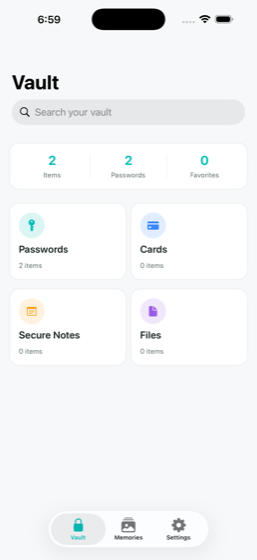
Safey vault app home screen showing passwords, cards, secure notes and files

Everything private, in one place

Safey is a true vault — it holds anything you need to keep safe, not just passwords.

🔑

Passwords & logins

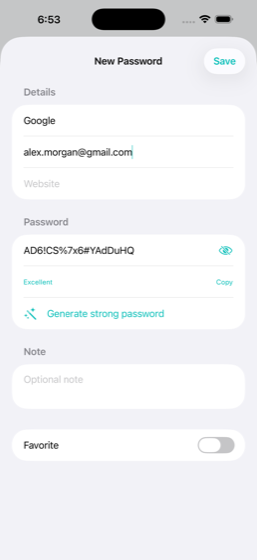
Store every login with a built-in generator that creates strong, unique passwords in one tap.

💳

Cards, PINs & CVCs

Keep payment cards, PINs and CVCs encrypted and revealed only after a biometric check.

📝

Secure notes

Private notes for anything sensitive — recovery codes, wifi passwords, passport details.

📄

Files & documents

Store any file — IDs, certificates, PDFs, contracts — safely in your vault.

🖼️

Hidden photo & video vault

Move private photos and videos out of your camera roll into a Face-ID-locked album.

Instant search & sync

Find anything in a second, and restore your vault on a new iPhone just by signing in.

Security you can actually trust

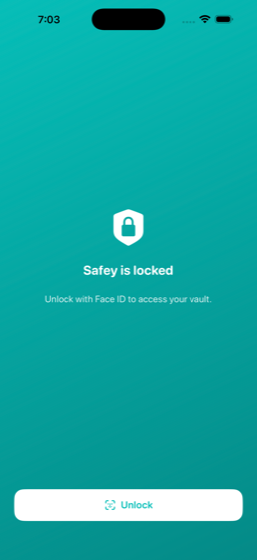
Your secrets are encrypted with AES-256 on your device before they’re ever synced — so no one else can read them, not even us. Your vault opens only for you, behind Face ID, Touch ID or your passcode, and auto-locks the moment you leave the app.

Safey Face ID lock screen protecting the vault Safey built-in strong password generator

Free to start

Download Safey free. Upgrade for extra storage whenever you need more room for files and photos.

Free
Your full vault, Face ID lock & encryption
50 GB
More room for files, cards & private photos
200 GB
Maximum storage for everything you keep

Download on the App Store

Frequently asked questions

Is Safey really private?

Yes. Sensitive fields — passwords, card numbers, CVCs, PINs and note contents — are encrypted with AES-256 on your iPhone before they’re uploaded. The encryption key lives in your device’s Keychain and never leaves it, so no one else can read your data.

What can I store in Safey?

Passwords and logins, payment cards, secure notes, any files or documents (IDs, certificates, PDFs), and private photos and videos in a hidden, Face-ID-locked album.

What happens if I lose my phone?

Your vault is locked behind Face ID, Touch ID or your device passcode — no one can open Safey without it. Your data syncs privately, so you can restore everything on a new iPhone by signing in.

How much does Safey cost?

Safey is free to download and use. Optional subscriptions add extra cloud storage (50 GB or 200 GB) for your files and photos.

Does Safey work as a password manager?

Yes — Safey stores your logins and includes a one-tap strong password generator, alongside your cards, notes, files and photos in a single private vault.